Airplay on Windows with TuneBlade
I’ve got a stereo with a Yamaha WXC-50 streaming setup. It works great when you’re using a Mac, as you can use AirPlay to stream audio directly over Wifi. This setup is seamless – you choose your Mac’s audio output as “LivingRoom” (or whatever you called your streaming receiver) and boom, you can stream your system audio to your stereo. No apps, no drama. Computer -> WXC-50 -> Stereo. Done!
When you’re on Windows, the suck factor is much higher because Windows doesn’t natively support AirPlay. Le sigh. I was reduced to a bunch of different (and often lesser) options:
Option: Use the WXC-50’s built-in web app
Yeah, you can use this to play mp3s and whatnot, but it’s borderline unusable.
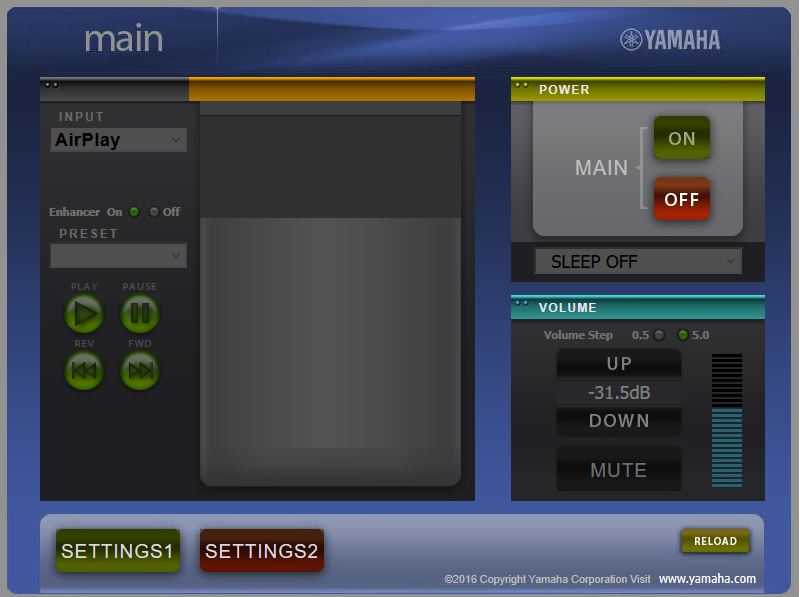 |
|---|
| A decidedly odd interface |
Option: Use Yamaha MusicCast app
The Yamaha Music Cast Android app is functional but clunky. It’s only a feasible option if you’re hosting your music in a location that is accessible via the network. In my case, I now have some of my music on my Synology NAS with discovery/indexing turned on. This means I can play music via the MusicCast Android app, but:
- It’s clunky
- It doesn’t let me stream my Windows PC audio to my receiver, as that’s not what it was designed to do
If I’m sitting at my PC, I don’t want to use my phone to navigate directories and pick songs. I want to play my music using foorbar2000 or whatever and hear my PC audio output.
Option: Use integrations in Spotify or other apps
Like MusicCast, it works for certain use-cases but it doesn’t really suit my needs. I can’t play my own MP3s. I can’t stream my PC audio to my stereo.
Option: Run a cable from the PC sound card to the stereo
No. I’ve got enough cables around the place, thanks.
Solution: TuneBlade
I honestly feel like a bit of a dope, as TuneBlade has been around for a while and is an AirPlay-compatible implementation for Windows that can stream to receivers. A license is a mere £8 – great value!
Steps:
- Install TuneBlade
- Select your AirPlay-compatible device
- Reduce the audio delay down to sub-second (default is a 2s delay) to reduce lag
- Play some music
That’s all there is to it! I can now stream my Windows PC audio to my Yamaha WXC-50 receiver. It’s not quite as slick as using a Mac, but it’s close.